Stop Guessing Where to Click: Meet Hiveku University


Hiveku University, in plain terms
Hiveku University is our new home for learning Hiveku. It gathers 136 step-by-step How-Tos with real screenshots of the app, so you can see exactly where to click. Search for a task, pick a goal, or start at the top, all from one page at hiveku.com/university.
Learning software shouldn't feel like a scavenger hunt
You know the feeling. You've got twenty minutes to set up invoicing or send the newsletter, and you're stuck hunting for the right menu. A help article describes the button but not where it is. A video covers it, somewhere around minute fourteen.
That's not a you problem. Most guides are written for people who already know the product. We wanted something different: show the screen, outline the button, and get out of your way.
What's inside
At launch, University covers 15 topics, from your first website to invoices, workflows and your AI team. Together, the How-Tos carry 956 screenshots.
- Build your first site: open the builder, change your site with the AI chat or by clicking, add pages and publish.
- Websites and the Site Builder: domains, backups, redirects, forms, blog posts and how your pages show in Google.
- Marketing and email: track where you rank, run a site audit, collect reviews, and test and send a campaign.
- CRM and Commerce: bring in your contacts, move deals to won, and send quotes, invoices and subscriptions.
- Helpdesk, Phone and Calendar: answer visitors, get a local number and share your booking page.
- Workflows, AI Team and Teamwork: automate the busywork, give your agents rules and skills, and plan projects.
How each How-To works
Every How-To walks through one task from start to finish. Most are numbered steps, and the screenshots show the actual screens, often with the button or field you need outlined. They're taken in a demo business, Northwind Coffee Roasters, so you see a lived-in account, not empty placeholders.
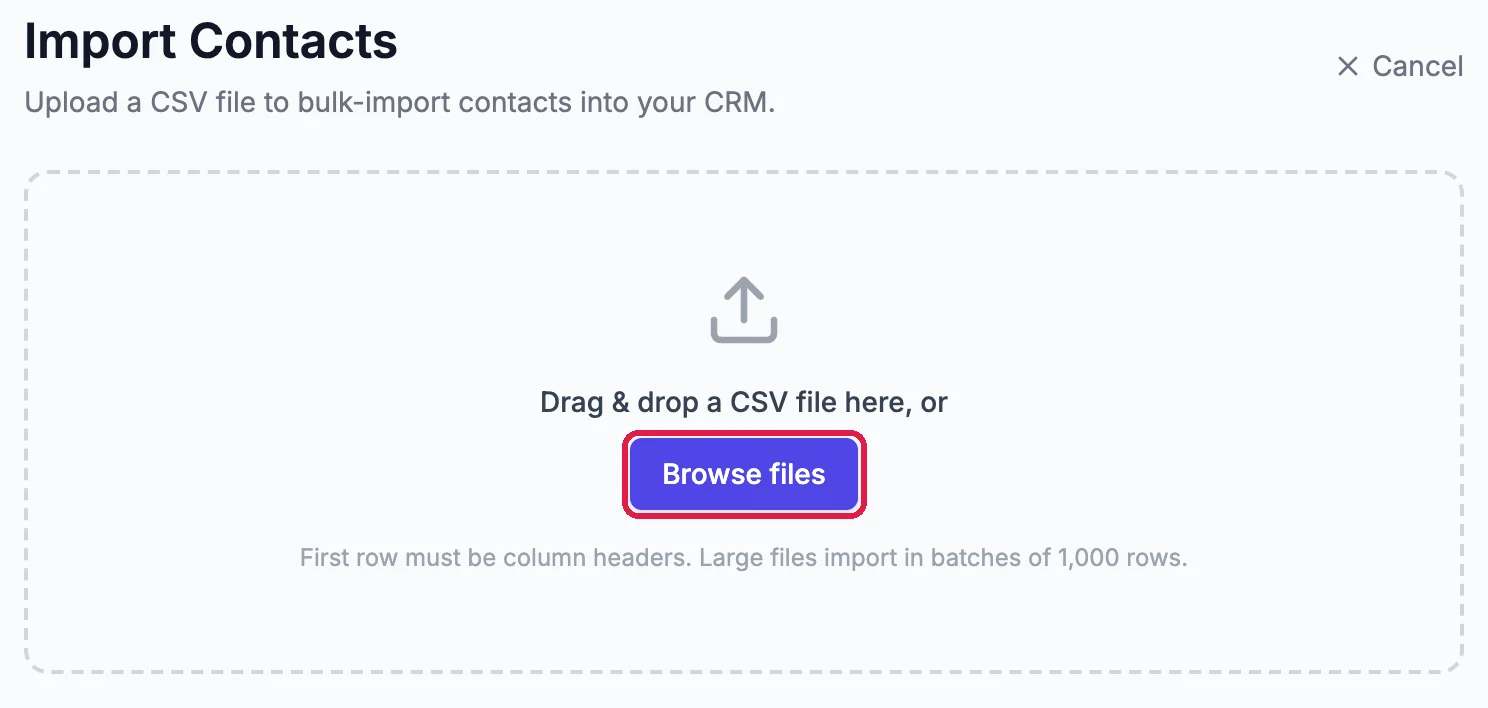
Each How-To opens in our docs, where it sits alongside everything else about Hiveku. University is the front door: it shows you which one to open.
Where to start
New to Hiveku? Begin with these three:
- Open Your Site in the Builder: find your website and learn what each part of the screen does.
- Invite a Teammate: bring someone in with the role that fits their job.
- Tell Your AI Team About Your Business: write the one page every agent reads.
From there, follow your goal. Sending your first newsletter? Try Create, Test and Send an Email Campaign. Billing a client? Start with Create and Send an Invoice.
Find the right How-To fast
There are three ways in:
- Search: type a word like "invoice" or "domain", and the list narrows as you type.
- Goals: "What are you here to do?" jumps you to the right topic, from building your website to putting your AI team to work.
- Topics: browse a row for each area, and open "Show all" when you want the full list.
More How-Tos are on the way
We're adding screenshots to every guide in our docs. As each one is ready, it joins University, so the library keeps growing. If a How-To you need isn't there yet, the full docs cover every part of Hiveku today.
And if you'd rather have someone else do the clicking, Claude can work in your account for you. Here's how Hiveku and Claude work together.
Frequently asked questions
Is Hiveku University free?
Yes. University and the How-Tos it links to are open to anyone, with or without a Hiveku account.
Where do the How-Tos live?
In the Hiveku docs at docs.hiveku.com. University gathers the ones that have screenshots and points you to each one.
How often is it updated?
Whenever more How-Tos get their screenshots. We're working through the docs now, so new guides will keep arriving.
Will my account look like the screenshots?
The names and numbers come from the demo business, so yours will differ. The screens, menus and buttons are the ones you'll find in Hiveku.
Start learning
Open Hiveku University and pick your first How-To. New to Hiveku? See the price first, then start your trial.
Tags
Ready to Transform Your Marketing?
Join thousands of businesses using Hiveku to grow faster.
Start Free Trial