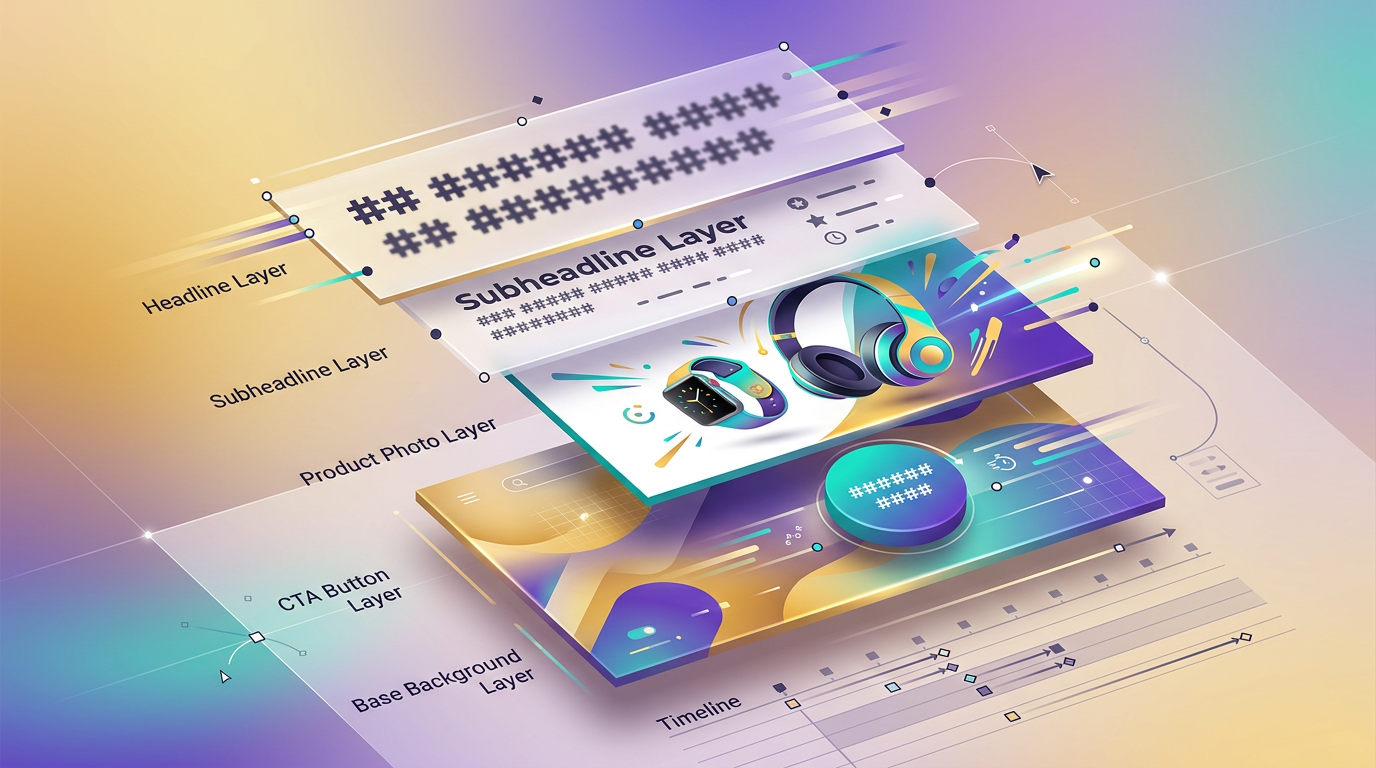
Animation is a property of every layer — not a baked MP4 you have to re-render to fix a typo. Drag the headline mid-play. Retype any word. Swap a brand color. The motion follows.
Every other AI tool that produces 'animated marketing creative' outputs a flat MP4 you can't open up. Change one word and you re-render the whole clip. Not us.
Spring Sale
25% off everything · This week only
Layers5 layers · animated
Click any layer. Edit its animation. The motion follows your changes — no re-render.
Four motion strategies
One Prompt. Coherent Motion Across Every Layer.
Most AI motion tools default to per-layer randomness — headline slides, subhead fades, button rotates, all at different timings. Looks like a jukebox, not a designer's work. Our four strategies apply coherently across every layer in one call.
Per-layer animation editor
No After Effects. No Learning Curve.
A right-side Style panel that appears when you click any layer. Enter preset, delay, duration, exit, loop motion — all labeled dropdowns and sliders. Selecting an animated layer auto-pauses the animator so you don't fight a moving target.
AnimationCTA button selected
fade-up
400ms delay
600ms duration
fade-out
5500ms delay
400ms duration
none
pulse
wiggle
breathe
Slider commits debounced 250ms — dragging the duration knob doesn't thrash autosave or the playback runtime.
18 animated templates
Starter Material, Not Lock-In.
Eighteen layered animated starters across Instagram square, Story/Reel 9:16, YouTube/LinkedIn 16:9, email banners. Pick one — every layer is fully editable from frame zero.
1:1
Spring Sale
Instagram
9:16
Reel: New Drop
Reel/Story
16:9
YouTube End Card
YouTube
16:9
Email Banner
Email
1:1
Kinetic Quote
Instagram
16:9
Lower Third
Video
16:9
Logo Reveal
Brand
9:16
Story: Tip Carousel
Reel/Story
1:1
Animated CTA
Ads
1:1
Before/After
Social
16:9
Product Spec
Web
9:16
Countdown Timer
Reel/Story
Ask the AI to re-strategize a template's motion ("make this cascade fade-up instead") and only the timing changes — the layer content you already edited stays intact.
One vocabulary, three places
AI ↔ Canvas ↔ Export. Same Animation Schema Across All Three.
A user-applied animation and an AI-applied animation are indistinguishable in the saved design. The export compositor re-plays the same keyframes deterministically into MP4. No competitor that ships motion has this round-trip.
AI agent authors
'Make me a Spring Sale 1080×1080 cascade fade-up' — the agent designs the static layers, then calls animate_canvas with one keyframe spec per layer.
You edit live
Style panel on the right, 4 strategy buttons in the panel. Click any layer → tweak timing → press play. Drag mid-play if you want.
Compositor exports
When you're ready, the compositor re-renders the same keyframes into MP4. Re-render only at export — design iterations stay instant.
vs. every other motion tool
What Other Tools Have to Give Up to Compete.
Capability
Hiveku
Canva
Runway
After Effects
Lottie
Layers stay editable after animating
AI authors the motion
Limited
Image only
Brand-aware (uses your colors / logo)
Manual
Manual
Per-layer timing controls
Web-based (no install)
Some
Round-trip: AI ↔ user ↔ export
Try It in the Design Canvas.
Animate, edit, replay. Export when you're ready. No After Effects, no Canva templates, no flat MP4s you have to re-render every time you change a word.